GPT Image 2
GPT Image 2 is OpenAI's latest GPT Image generation and editing model. CiYuanX exposes it through an OpenAI-compatible image API, so with the official OpenAI SDK you only need to point base_url / baseURL at https://ciyuanx.io/v1.
| Capability | Endpoint |
|---|---|
| Generate images | POST https://ciyuanx.io/v1/images/generations |
| Edit images | POST https://ciyuanx.io/v1/images/edits |
Model ID: gpt-image-2
Choosing an API
If you only need to generate or edit an image in a single request, the Image API is all you need — and it's the recommended path for most CiYuanX integrations. OpenAI also offers an image-generation tool in the Responses API for conversational, multi-step editing workflows. If your product needs multi-turn editing, first confirm whether the corresponding model and endpoint support the Responses API on CiYuanX.
Generate images
The Image API returns base64 image data in data[0].b64_json. Decode it and write it to a file.
from openai import OpenAI
import base64

client = OpenAI(
    api_key="YOUR_API_KEY",
    base_url="https://ciyuanx.io/v1",
)

result = client.images.generate(
    model="gpt-image-2",
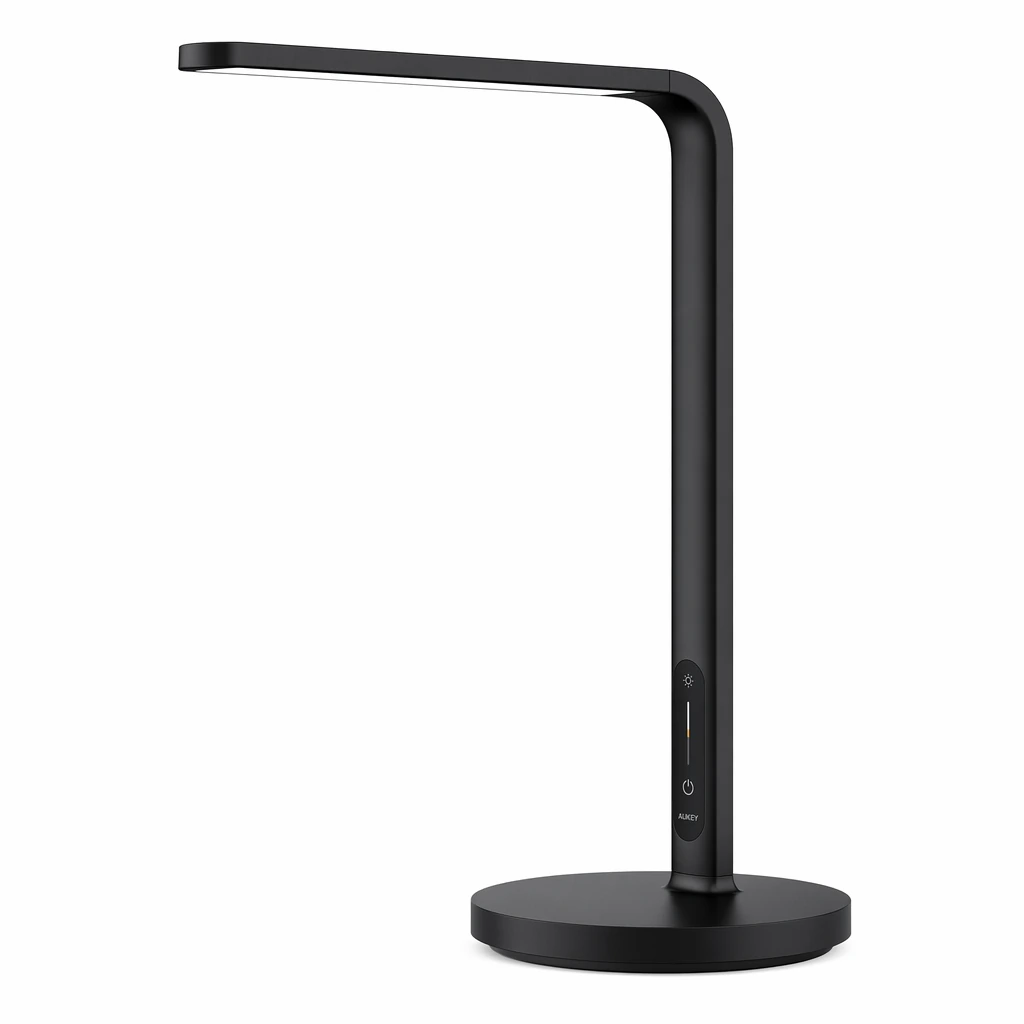
    prompt="A clean product photo of a matte black smart desk lamp on a white background",
    size="1024x1024",
    quality="medium",
)

image_bytes = base64.b64decode(result.data[0].b64_json)
with open("lamp.png", "wb") as f:
f.write(image_bytes)import OpenAI from "openai";
import { writeFileSync } from "node:fs";
const client = new OpenAI({
apiKey: "YOUR_API_KEY",
baseURL: "https://ciyuanx.io/v1",
});
const result = await client.images.generate({
model: "gpt-image-2",
prompt: "A clean product photo of a matte black smart desk lamp on a white background",
size: "1024x1024",
quality: "medium",
});
writeFileSync("lamp.png", Buffer.from(result.data[0].b64_json, "base64"));curl https://ciyuanx.io/v1/images/generations \
-H "Content-Type: application/json" \
-H "Authorization: Bearer YOUR_API_KEY" \
-d '{
"model": "gpt-image-2",
"prompt": "A clean product photo of a matte black smart desk lamp on a white background",
"size": "1024x1024",
"quality": "medium"
}'The image below was produced by the Python example above and saved by decoding data[0].b64_json:
Edit with reference images
Pass one or more images to images.edit and describe the result you want in text. Multiple input images can serve as references for a new composition.
from openai import OpenAI
import base64

client = OpenAI(
    api_key="YOUR_API_KEY",
    base_url="https://ciyuanx.io/v1",
)

result = client.images.edit(
    model="gpt-image-2",
    image=[
        open("product.png", "rb"),
        open("background.png", "rb"),
    ],
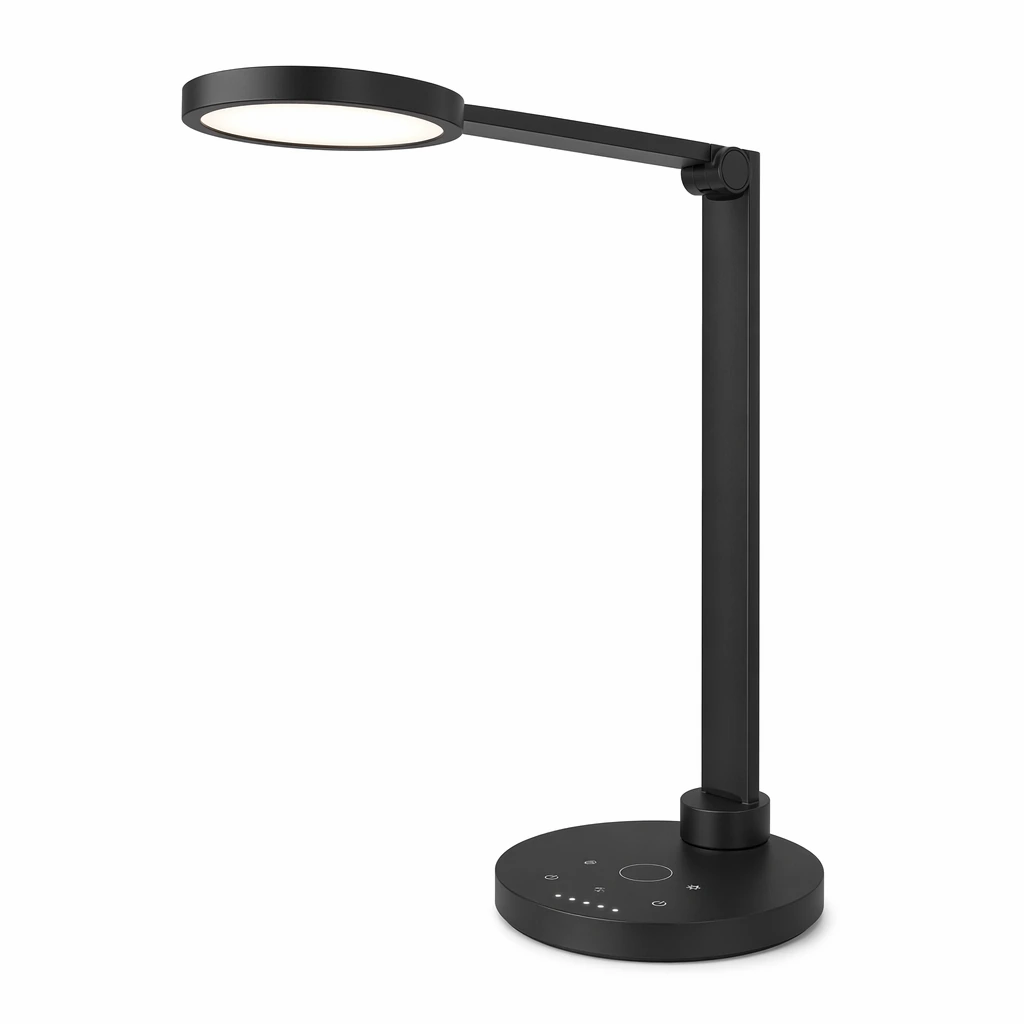
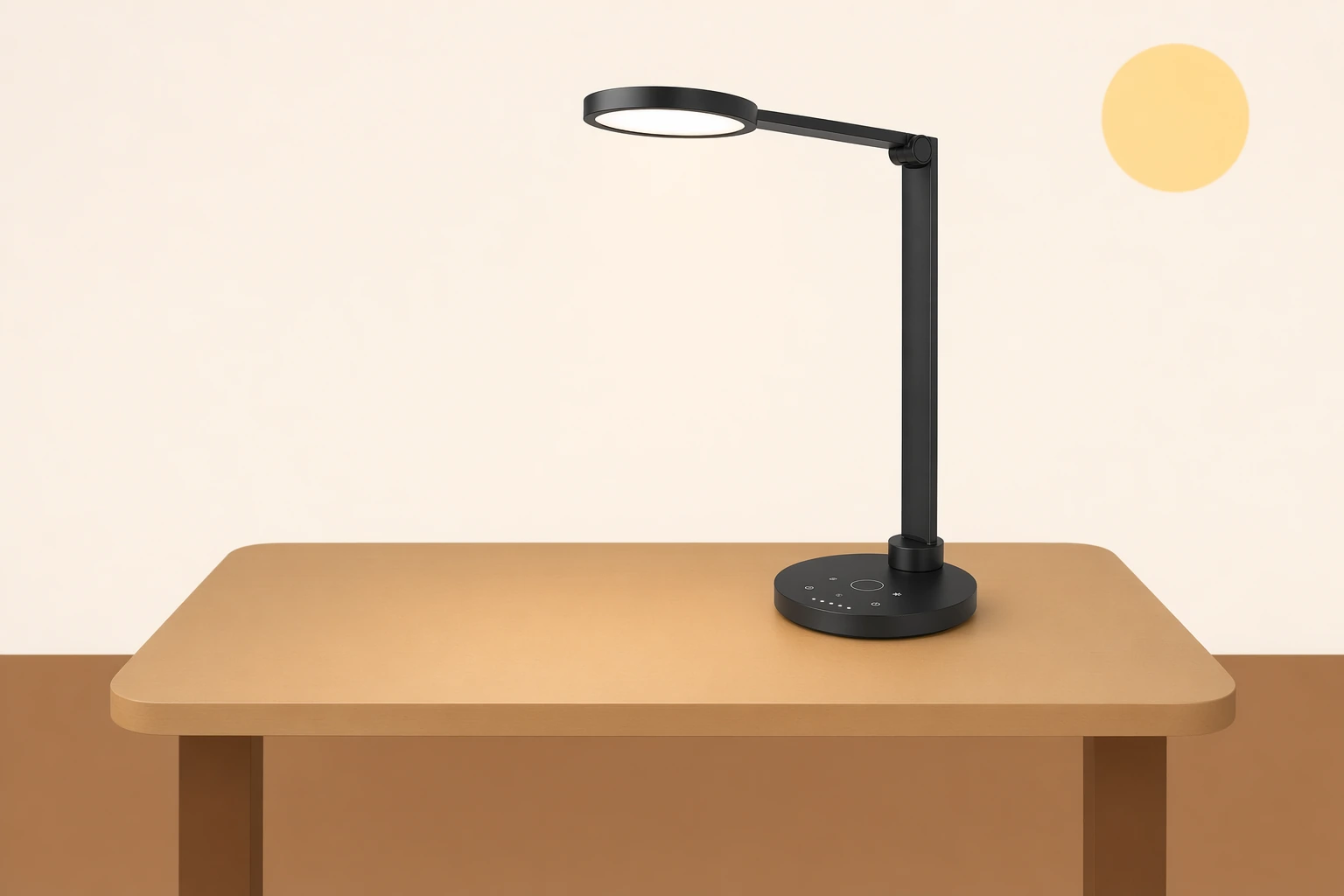
    prompt="Place the product from the first image onto the desk in the second image, keeping the lighting realistic.",
    size="1536x1024",
    quality="high",
)

image_bytes = base64.b64decode(result.data[0].b64_json)
with open("edited-product.png", "wb") as f:
f.write(image_bytes)import OpenAI from "openai";
import { createReadStream, writeFileSync } from "node:fs";
const client = new OpenAI({
apiKey: "YOUR_API_KEY",
baseURL: "https://ciyuanx.io/v1",
});
const result = await client.images.edit({
model: "gpt-image-2",
image: [
createReadStream("product.png"),
createReadStream("background.png"),
],
prompt: "Place the product from the first image onto the desk in the second image, keeping the lighting realistic.",
size: "1536x1024",
quality: "high",
});
writeFileSync("edited-product.png", Buffer.from(result.data[0].b64_json, "base64"));curl https://ciyuanx.io/v1/images/edits \
-H "Authorization: Bearer YOUR_API_KEY" \
-F model="gpt-image-2" \
-F "image[]=@product.png" \
-F "image[]=@background.png" \
-F prompt="Place the product from the first image onto the desk in the second image, keeping the lighting realistic." \
-F size="1536x1024" \
-F quality="high"The example below composites a product shot with a desk background and returns a new 1536×1024 PNG:
| Product input | Background input | Edited output |
|---|---|---|
 |  |  |
Edit with a mask
When you want to guide the model to change only a specific region, pass a mask. The source image and the mask must have the same size and format, and the mask must include an alpha channel.
from openai import OpenAI
import base64

client = OpenAI(
    api_key="YOUR_API_KEY",
    base_url="https://ciyuanx.io/v1",
)

result = client.images.edit(
    model="gpt-image-2",
    image=open("room.png", "rb"),
    mask=open("mask.png", "rb"),
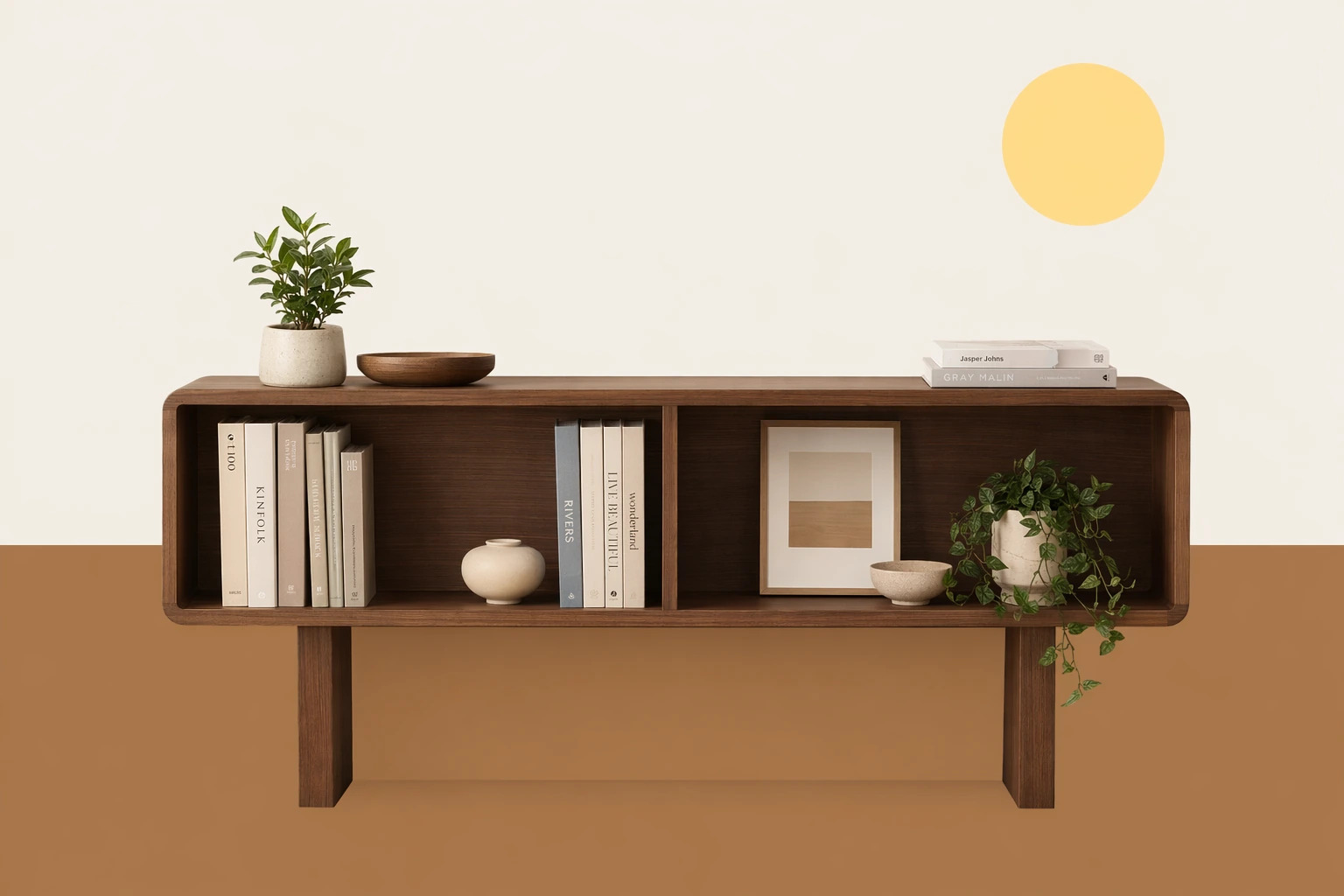
    prompt="Replace the masked area with a modern walnut bookshelf.",
)

image_bytes = base64.b64decode(result.data[0].b64_json)
with open("room-bookshelf.png", "wb") as f:
f.write(image_bytes)curl https://ciyuanx.io/v1/images/edits \
-H "Authorization: Bearer YOUR_API_KEY" \
-F model="gpt-image-2" \
-F image=@room.png \
-F mask=@mask.png \
-F prompt="Replace the masked area with a modern walnut bookshelf."The mask uses its alpha channel to mark the editable region; the endpoint returns a regular PNG:
| Source | Mask | Edited output |
|---|---|---|
 |  |  |
Streaming partial images
OpenAI's upstream API offers stream and partial_images for receiving intermediate images before the final one is ready. On CiYuanX this is a compatibility-dependent capability: unless you've confirmed that the endpoint already supports streamed image events, prefer a standard non-streaming call.
Even if you pass stream: true and partial_images, the response may still be a regular final JSON payload that returns the image via data[0].b64_json.
Output options
| Parameter | Values | Notes |
|---|---|---|
size | auto, 1024x1024, 1536x1024, 1024x1536, 2048x2048, 2048x1152, 3840x2160, 2160x3840, or another custom size that meets the constraints | Each side must be a multiple of 16 px, the longest side at most 3840 px, the aspect ratio no more than 3:1, and the total pixel count between 655,360 and 8,294,400. |
quality | auto, low, medium, high | Use low for drafts and fast iteration; prefer medium or high for final assets. |
output_format | png, jpeg, webp | Defaults to png. When you don't need a transparent background, jpeg is usually faster. |
output_compression | 0 to 100 | Applies only to jpeg and webp. |
background | auto, opaque background options | gpt-image-2 does not currently support background: "transparent". |
stream, partial_images | Compatibility-dependent | CiYuanX may return a regular final JSON payload instead of streamed partial-image events. |
moderation | auto, low | auto is the default filtering level. |
Notes and limitations
- Complex prompts can take longer to process; set a reasonable timeout or use a background job on your side.
- The model's text rendering has improved but still isn't guaranteed to be accurate. Review logos, labels, and UI mockups by hand.
- Characters, exact layout, and brand details may not stay perfectly consistent across multiple generations.
- Don't pass
input_fidelitywhen editing withgpt-image-2; the model handles input images at high fidelity automatically. - A mask guides the edit region — it isn't a pixel-perfect selection.